
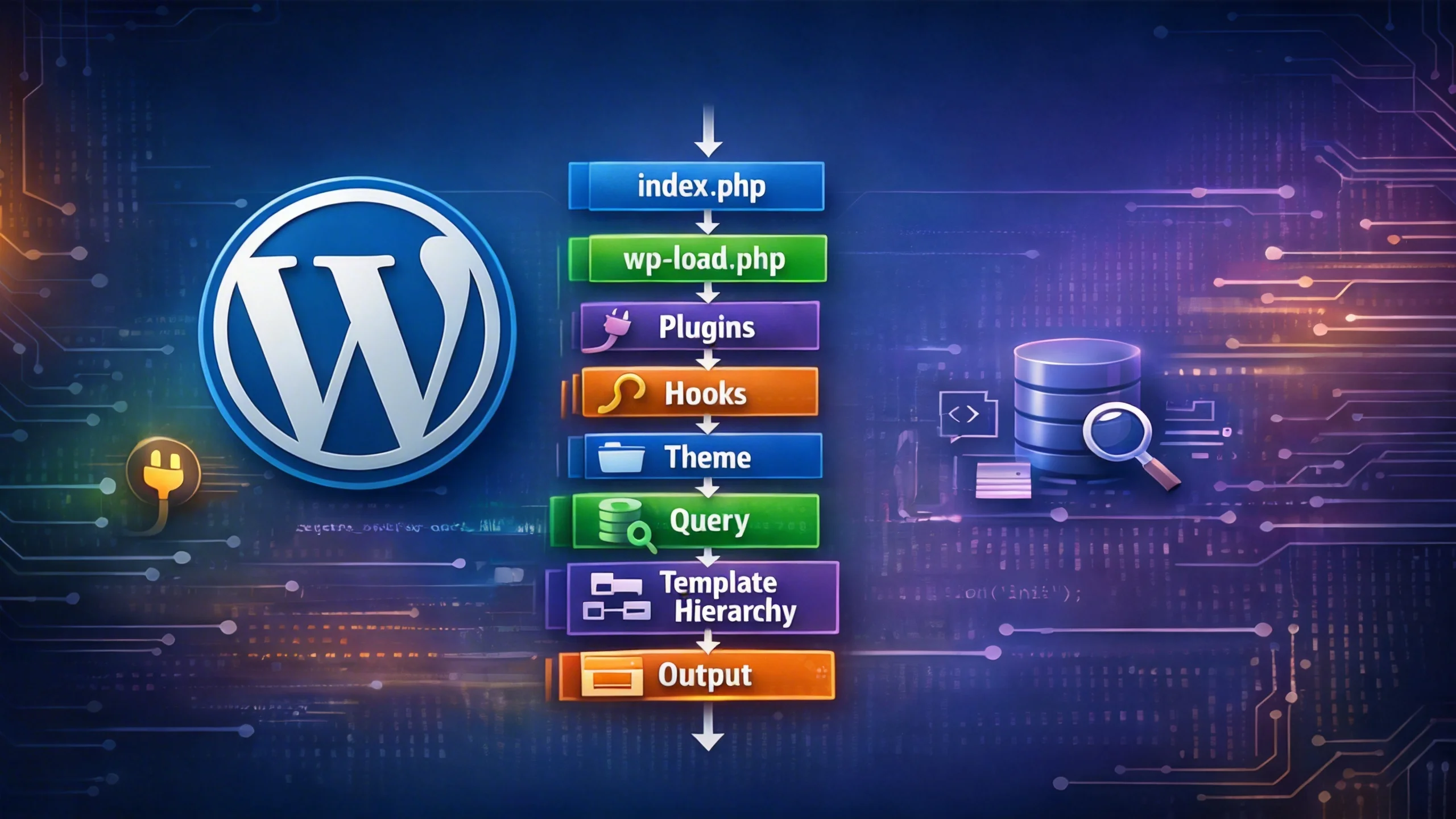
How WordPress Loads a Page Let Me Be Honest With You…
For a long time, I was “working” with WordPress… but not really understanding it.
I could:
- Build pages
- Install plugins
- Even write some PHP code
But whenever something broke, I had no clue:
👉 Where exactly is this happening?
So what did I do?
- Try random fixes
- Move code around
- Refresh 20 times
And sometimes… it worked.
The Day Everything Clicked
One day, instead of searching for a fix, I asked:
👉 “What actually happens when someone opens my website?”
That question changed everything.
Because WordPress is not random.
👉 It follows a very strict step-by-step process every single time.
First, Understand This One Line
Before we go deep, just remember this:
Request → Load → Plugins → Hooks → Theme → Query → Template → Output
👉 If you understand this flow, you understand WordPress.
Now let’s slow it down… step by step.
Step 1: The Entry Point (Where It All Starts)
Every request begins from one file:
👉 index.php
And here’s the funny part…
👉 It barely does anything.
define('WP_USE_THEMES', true);
require __DIR__ . '/wp-blog-header.php';
What This Means
It’s basically saying:
👉 “Hey WordPress… you take control from here.”
Step 2: WordPress Page Load: Bootstrap Phase
Now WordPress starts loading itself.
It goes through:
wp-blog-header.php
→ wp-load.php
→ wp-config.php
→ wp-settings.php
Think Like This
This phase is like:
👉 Turning on a computer
- Config loads
- System prepares
- Environment gets ready
Nothing visible yet… but everything is being prepared.
Step 3: Plugins Load (This Is Where Power Begins)
Now we enter the most important part.
Inside wp-settings.php:
👉 WordPress loads plugins.
Plugin Loading Order (Very Important)
- Must-use plugins
- Network plugins
- Regular plugins
Why This Is Powerful
Because plugins load BEFORE anything you see.
That means:
👉 Plugins can control EVERYTHING.
Real Example (Think Like This)
Let’s say you install WooCommerce.
Even before your page loads:
👉 WooCommerce already:
- Registers post types
- Adds hooks
- Modifies queries
Simple Analogy
👉 Plugins = Brain
👉 Theme = Face
And brain loads first.
Step 4: Hooks Start Running (This Is Where You Come In)
After plugins load:
👉 WordPress starts firing hooks.
Important Hooks (Remember These)
plugins_loadedinitwp_loaded
Example 1: Register CPT
add_action('init', function() {
    register_post_type('book', [
        'label' => 'Books',
        'public' => true
    ]);
});
👉 Why init?
Because WordPress is ready, but query hasn’t started yet.
Example 2: Check Plugin
add_action('plugins_loaded', 'custom_init');

function custom_init() {

    // Stop if WooCommerce is not active
    if (!class_exists('WooCommerce')) {
        return;
    }

    // Initialize your integration
    custom_woocommerce_setup();
}

function custom_woocommerce_setup() {
    // Add hooks, filters, features here
}
👉 Safe place to check dependencies.
Step 5: Theme Loads (Now UI Comes In)
Now WordPress loads your theme:
functions.php- theme setup
Important Concept
👉 Plugins decide WHAT
👉 Theme decides HOW
Example
add_action('after_setup_theme', 'custom_theme_setup');

function custom_theme_setup() {

    // Enable Featured Images (Post Thumbnails)
    add_theme_support('post-thumbnails');
}
Step 6: WordPress Understands the Request
Now WordPress asks:
👉 “What is this page?”
- Blog post?
- Page?
- Category?
This is handled by:
👉 WP_Query
Real Thinking
User URL:
/blog/wordpress-hooks
WordPress translates it into:
👉 “Get post where slug = wordpress-hooks”
Powerful Example: Modify Query
add_action('pre_get_posts', 'custom_modify_home_query');

function custom_modify_home_query($query) {

    if (is_admin() || !$query->is_main_query()) {
        return;
    }

    if ($query->is_home()) {
        $query->set('posts_per_page', 5);
    }
}
Important
👉 This runs BEFORE database query
👉 This is why it’s powerful.
Step 7: Template Hierarchy (Decision Time)
Now WordPress knows what to show.
Next:
👉 “Which file should I use?”
Think Like This
WordPress checks:
👉 “Do I have this file?”
👉 “No? Try next one.”
Example: Single Post
single-post.php
→ single.php
→ singular.php
→ index.php
Real Scenario
You edited single.php…
But nothing changed and that’s confusing
Why?
👉 Because WordPress used:
👉 single-post.php
Debug Trick
<?php
if (current_user_can('administrator')) {
    echo '<p>Template: ' . basename(get_page_template()) . '</p>';
}
?>
👉 This tells you the exact file being used.
Step 8: Rendering (Finally!)
Now WordPress builds the page.
What Happens
- Header loads
- Content loop runs
- Footer loads
Example: The Loop
<?php if (have_posts()) : while (have_posts()) : the_post(); ?>

    <h2><?php the_title(); ?></h2>
    <?php the_content(); ?>

<?php endwhile; else : ?>

    <p>No content available.</p>

<?php endif; ?>
Hooks Here
wp_headthe_contentwp_footer
Example: Modify Content
add_filter('the_content', function($content) {

    if (is_single() && is_main_query()) {
        $content .= '<p>Written on ' . get_the_date() . '</p>';
    }

    return $content;
});
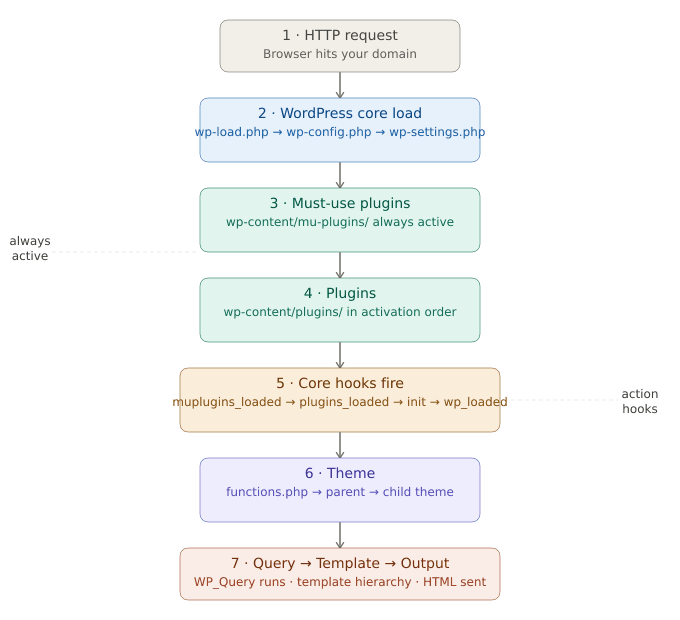
Full Flow (Now You’ll Never Forget)
User Request
→ index.php
→ wp-blog-header.php
→ wp-load.php
→ wp-config.php
→ wp-settings.php
   → Load Plugins
   → Fire Hooks
   → Load Theme
→ WP_Query
→ Template Hierarchy
→ Render Page
→ Output HTML
Common Mistakes (Real Developer Problems)
- Editing the wrong template file
- Using the wrong hook
- Not checking conditions properly
- Not understanding execution timing
Pro Developer Mindset
Before:
👉 “Why is this not working?”
After:
👉 “Where in the WordPress flow is this breaking?”
Performance Insight (Very Important)
Bad:
❌ Loading scripts on every page
❌ Running heavy queries unnecessarily
❌ Using too many hooks
Good:
if (is_single()) {
    wp_enqueue_script('my-script');
}
👉 Load assets only where needed
Final Thought
WordPress is not magic.
👉 It’s a system.
And once you understand the system:
👉 You stop guessing
👉 You start building with confidence
