
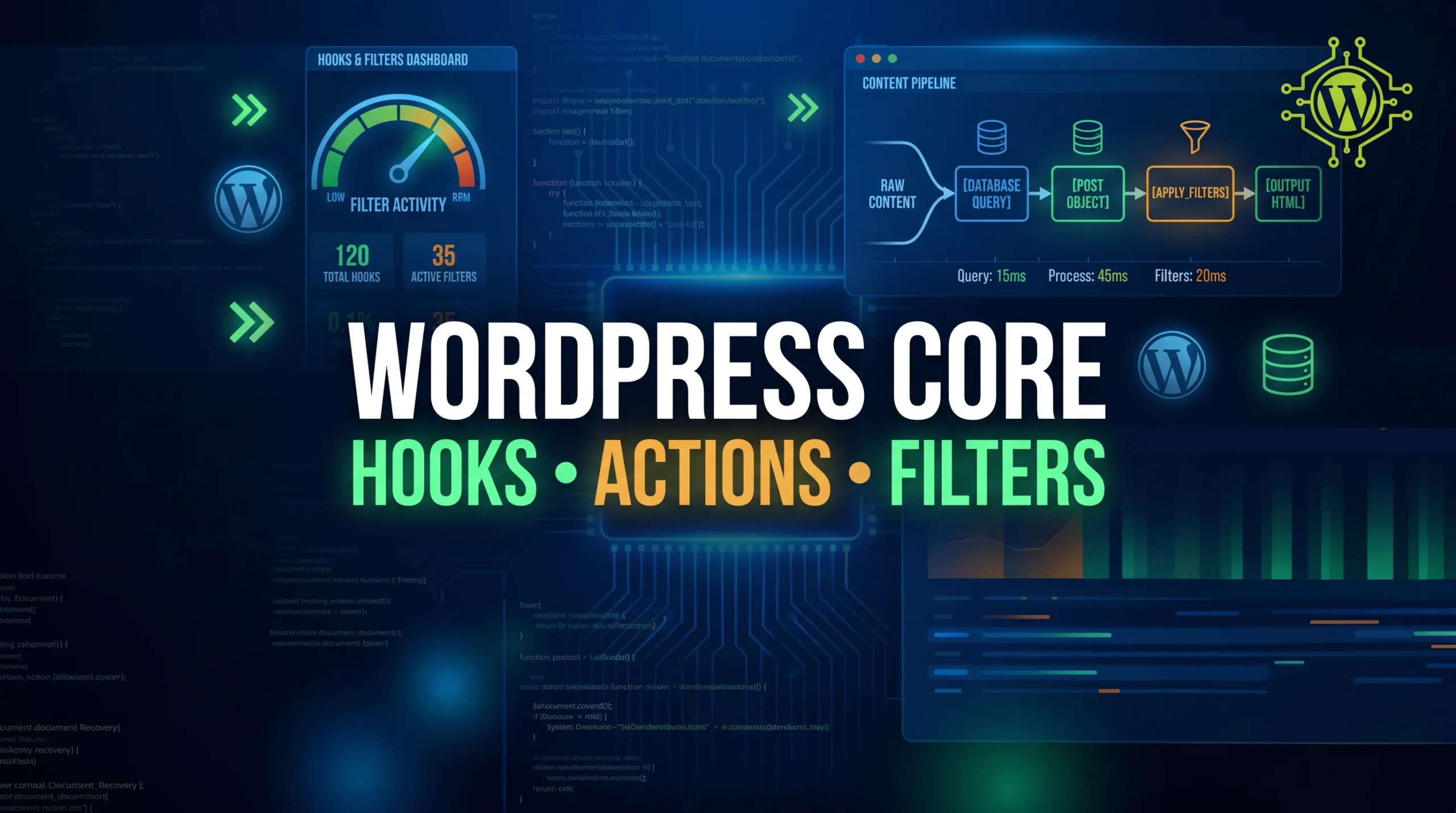
WordPress Core Functionality: The Complete Developer Guide to Hooks, Filters, and Content Rendering
Introduction
WordPress Core Functionality is the foundation of every WordPress website. Whether you’re building a simple blog, a business website, a WooCommerce store, or a custom application, understanding WordPress Core Functionality helps you create faster, more scalable, and more maintainable solutions.
Many developers spend years working with WordPress but never fully understand what happens behind the scenes. They know how to install plugins, customize themes, and use page builders, but when it comes to understanding how WordPress processes requests, loads content, executes hooks, and renders pages, there is often a knowledge gap.
The reality is that WordPress is much more than a content management system. It is a powerful framework with a sophisticated architecture that allows developers to extend functionality without modifying core files.
In this guide, we’ll take a deep dive into WordPress Core Functionality, including the request lifecycle, hooks, filters, actions, WP_Query, template hierarchy, and content rendering process. By the end of this article, you’ll understand how WordPress works internally and how professional developers leverage core functionality to build advanced websites.
What Is WordPress Core Functionality?
Before diving into code, it’s important to understand what we mean by WordPress Core Functionality.
WordPress Core refers to the files, classes, functions, and systems that are included in every standard WordPress installation. These files provide the essential features that make WordPress work.
Some examples include:
- User authentication
- Database communication
- Theme loading
- Plugin loading
- Post management
- Media handling
- URL routing
- Template rendering
- Hook system
Think of WordPress Core as the engine of a car.
Themes are the design.
Plugins are additional features.
But the engine that powers everything is WordPress Core.
Understanding WordPress Core Functionality allows developers to build custom solutions that are more efficient, maintainable, and compatible with future WordPress updates.
Understanding the WordPress Request Lifecycle
Every time a visitor opens a page on your website, WordPress goes through a sequence of operations before displaying content.
Let’s imagine someone visits:
https://example.com/services/web-developmentTo the visitor, the page appears instantly.
Behind the scenes, WordPress performs dozens of tasks.
The process begins with:
index.phpThis file acts as the front controller.
Every request passes through it.
The request is then routed through several core files:
index.php
↓
wp-blog-header.php
↓
wp-load.php
↓
wp-config.php
↓
wp-settings.php
These files initialize the WordPress environment.
At this stage, WordPress loads:
- Database connection
- Active plugins
- Active theme
- User information
- Rewrite rules
- Core classes
Only after all these components are loaded can WordPress determine what content should be displayed.
How WordPress Understands a URL
One of the most impressive aspects of WordPress Core Functionality is its ability to convert human-friendly URLs into database queries.
For example:
https://example.com/blog/wordpress-guideWordPress does not directly understand this URL.
Instead, it parses the request and translates it into query variables such as:
[
    'post_type' => 'post',
    'name' => 'wordpress-guide'
]
This information is then passed to the query system.
The process is handled internally by classes such as:
WP
WP_Query
WP_Rewrite
Without this routing system, WordPress would not be able to locate and display the correct content.
WP_Query: The Heart of Content Retrieval
If WordPress has a brain, WP_Query is one of its most important components.
WP_Query is responsible for retrieving content from the database.
Whenever WordPress needs to display posts, pages, products, or custom content types, it uses WP_Query.
Example:
$query = new WP_Query([
    'post_type' => 'post',
    'posts_per_page' => 5
]);
At first glance, this looks simple.
However, WordPress transforms these arguments into SQL queries that communicate with the database.
The result is a collection of posts that can be displayed on the frontend.
This abstraction allows developers to work with content without writing raw SQL queries.
That’s one reason WordPress development is so productive.
Understanding the WordPress Hook System
One of the most powerful aspects of WordPress Core Functionality is the hook system.
Hooks allow developers to extend WordPress without editing core files.
This is extremely important because modifying core files directly creates maintenance problems.
Whenever WordPress updates, custom changes would be lost.
Hooks solve this issue elegantly.
WordPress provides thousands of predefined hook locations where developers can attach custom functionality.
There are two types of hooks:
- Actions
- Filters
Understanding the difference between them is essential.
What Are Action Hooks?
An Action Hook allows developers to execute code at a specific moment during the WordPress lifecycle.
Think of an action as an event.
For example:
When WordPress finishes loading the footer, it triggers:
do_action('wp_footer');Developers can connect custom functions to this event.
Example:
add_action(
    'wp_footer',
    'custom_footer_message'
);

function custom_footer_message() {
    echo 'Thank you for visiting our website.';
}
When WordPress reaches the footer, the function automatically runs.
This is how plugins insert tracking codes, chat widgets, analytics scripts, and other functionality.
Why Action Hooks Are Important
Action hooks provide flexibility without modifying existing code.
For example, developers can:
- Register custom post types
- Load stylesheets
- Load JavaScript files
- Send emails
- Add tracking scripts
- Create redirects
- Integrate APIs
Nearly every major WordPress plugin relies on actions.
Without actions, the plugin ecosystem would not exist.
The init Hook Explained
The init hook is one of the most frequently used hooks in WordPress.
It runs after WordPress has loaded but before content is displayed.
Example:
add_action(
    'init',
    'register_books_post_type'
);
Why use init?
Because WordPress is fully initialized at this stage.
The database is connected.
Plugins are loaded.
Users are available.
This makes it the ideal place to register functionality.
Understanding Hook Priority
Multiple functions can be attached to the same hook.
Example:
add_action(
    'wp_footer',
    'first_function',
    5
);

add_action(
    'wp_footer',
    'second_function',
    20
);
The third parameter represents priority.
Lower numbers execute first.
Execution order:
first_function
second_function
Priority allows developers to control exactly when code runs.
This becomes especially important when multiple plugins interact with the same hook.
Understanding Filters
While actions perform tasks, filters modify data.
This distinction is crucial.
Actions:
Execute functionalityFilters:
Modify valuesA filter receives data, changes it, and returns the modified result.
Example:
add_filter(
    'the_title',
    'custom_title'
);

function custom_title($title) {
    return '★ ' . $title;
}
Original title:
WordPress GuideDisplayed title:
★ WordPress GuideThe original data remains unchanged.
Only the displayed output is modified.
The Most Important Filter: the_content
Among all WordPress filters, the_content is arguably the most important.
When developers use:
the_content();WordPress does not immediately display the raw database content.
Instead, it performs something similar to:
$content = get_the_content();

$content = apply_filters(
    'the_content',
    $content
);

echo $content;
This allows plugins and themes to modify content before it reaches the browser.
Real-World Example of the_content
Suppose you want every blog post to display a call-to-action section.
Instead of editing hundreds of posts manually, you can use a filter.
Example:
add_filter(
    'the_content',
    'add_cta'
);

function add_cta($content) {

    return $content .
    '<div class="cta">
        Contact us for a free consultation.
    </div>';
}
Now every blog post automatically displays the CTA.
This demonstrates the true power of WordPress Core Functionality.
How WordPress Content Rendering Works
Many developers assume content flows directly from the database to the browser.
In reality, the process is much more sophisticated.
Content rendering follows a pipeline:
Database
↓
WP_Query
↓
Post Object
↓
get_the_content()
↓
Filters
↓
Shortcodes
↓
Plugin Modifications
↓
Theme Template
↓
HTML Output
↓
Browser
At each stage, content can be modified.
This architecture gives WordPress incredible flexibility.
How Shortcodes Work
Consider the following content stored in the database:
Welcome to our website.

[contact-form]

Thank you.
The shortcode itself is just text.
Before displaying the content, WordPress processes shortcodes.
The shortcode:
[contact-form]may become:
<form>
  ...
</form>
The visitor never sees the shortcode.
They only see the generated output.
This transformation happens through the content filtering system.
Understanding The Loop
The Loop is one of the oldest and most important concepts in WordPress.
Example:
while (have_posts()) {

    the_post();

    the_title();

    the_content();
}
Think of The Loop as a conveyor belt.
Each iteration loads a new post.
WordPress then makes that post available to template functions.
The Loop powers:
- Blog archives
- Search results
- Category pages
- Tag archives
- Custom post type archives
Without The Loop, WordPress could not efficiently display collections of content.
Understanding Template Hierarchy
After WordPress retrieves content, it must decide which template file should display it.
This process is known as Template Hierarchy.
Let’s say a visitor opens a blog post.
WordPress checks files in this order:
single-post.php
↓
single.php
↓
singular.php
↓
index.php
The first file that exists is used.
This fallback system provides flexibility while ensuring that content can always be displayed.
Why Template Hierarchy Matters
Understanding template hierarchy helps developers:
- Create custom layouts
- Build scalable themes
- Debug rendering issues
- Optimize theme architecture
Many theme problems can be solved quickly once you understand how WordPress chooses templates.
Creating Custom Hooks
Advanced developers often create their own hooks.
Example:
do_action(
    'before_service_section'
);
This creates an extension point.
Other developers can connect functionality:
add_action(
    'before_service_section',
    'display_banner'
);
Now the banner appears whenever the custom action runs.
This approach makes themes and plugins highly extensible.
Common Mistakes Developers Make
Many developers misuse WordPress Core Functionality.
Common mistakes include:
Editing Core Files
Core files should never be modified directly.
Updates will overwrite changes.
Using Too Many Plugins
Many plugins perform similar tasks.
Excessive plugins increase complexity and can create hook conflicts.
Ignoring Hook Priorities
Incorrect priorities can cause code to execute too early or too late.
Overusing WP_Query
Custom queries should be used carefully.
Poorly optimized queries can affect performance.
Not Understanding the Content Flow
Many debugging issues occur because developers don’t understand how content moves through filters and templates.
How WordPress Loads Plugins During Bootstrap
One of the most overlooked aspects of WordPress Core Functionality is the plugin loading process. Every active plugin on your website is loaded during the WordPress bootstrap phase before the page is rendered.
When a visitor requests a page, WordPress loads its core files and then loads all active plugins from the database. This process allows plugins to register hooks, filters, custom post types, REST API endpoints, and other functionality before WordPress begins processing content.
The plugins_loaded Hook
One of the earliest hooks available to developers is:
add_action('plugins_loaded', 'my_plugin_init');

function my_plugin_init() {
    // Initialize plugin functionality
}
The plugins_loaded hook runs after all active plugins have been loaded but before most of WordPress begins executing.
This hook is commonly used to:
- Initialize plugin classes
- Load translation files
- Register service containers
- Check plugin dependencies
Plugin Initialization Flow
The simplified loading process looks like this:
Request Received
↓
WordPress Bootstrap
↓
Active Plugins Loaded
↓
plugins_loaded Hook
↓
Theme Loaded
↓
init Hook
↓
Page Processing Begins
Understanding this execution order helps developers avoid conflicts and load functionality at the correct time.
Understanding the WordPress Database Structure
Behind every WordPress website is a carefully designed database structure. Understanding these tables is essential for advanced WordPress development and debugging.
wp_posts
The wp_posts table stores much more than blog posts.
It contains:
- Blog Posts
- Pages
- Attachments
- Navigation Items
- Revisions
- Custom Post Types
Example:
$post = get_post(15);
This function retrieves data directly from the wp_posts table.
wp_postmeta
The wp_postmeta table stores custom fields associated with posts.
Example:
$phone = get_post_meta(
    $post_id,
    'phone_number',
    true
);
Common uses include:
- ACF Fields
- Product Information
- Service Details
- Custom Settings
wp_options
The wp_options table stores global website settings.
Examples include:
- Site URL
- Active Theme
- Plugin Settings
- WordPress Configuration Values
Example:
$site_name = get_option('blogname');
wp_users
The wp_users table stores registered user accounts.
Information includes:
- Username
- Email Address
- Password Hash
- Registration Date
wp_terms
The wp_terms table stores taxonomy information.
Examples include:
- Categories
- Tags
- Custom Taxonomies
Understanding these database tables makes debugging and custom development significantly easier.
WordPress Core Functions Every Developer Should Know
WordPress provides hundreds of helper functions, but some are used in almost every professional project.
get_post_meta()
Retrieves custom field values attached to posts.
Example:
$price = get_post_meta(
    $post_id,
    'product_price',
    true
);
Use Case:
Displaying custom product information, phone numbers, addresses, or service details.
wp_insert_post()
Creates new content programmatically.
Example:
wp_insert_post([
    'post_title' => 'New Blog Post',
    'post_status' => 'publish',
    'post_type' => 'post'
]);
Use Case:
Importing content from APIs or external systems.
wp_update_post()
Updates existing content.
Example:
wp_update_post([
    'ID' => 25,
    'post_title' => 'Updated Title'
]);
Use Case:
Automatically modifying content based on business logic.
get_option()
Retrieves website-wide settings.
Example:
$admin_email = get_option('admin_email');
Use Case:
Accessing global settings stored in the database.
update_option()
Updates global settings.
Example:
update_option(
    'company_phone',
    '+1 800 123 4567'
);
Use Case:
Saving plugin settings or website configuration values.
wp_enqueue_script()
Loads JavaScript files correctly.
Example:
wp_enqueue_script(
    'custom-js',
    get_template_directory_uri() . '/assets/js/main.js'
);
Why It Matters:
WordPress manages dependencies, caching, and load order automatically.
wp_enqueue_style()
Loads CSS files properly.
Example:
wp_enqueue_style(
    'theme-style',
    get_stylesheet_uri()
);
Using enqueue functions ensures compatibility with plugins and caching systems.
Understanding WordPress Conditional Tags
Conditional Tags allow developers to determine which page is currently being viewed.
This helps display content only when certain conditions are met.
is_home()
Checks whether the blog posts page is being displayed.
Example:
if ( is_home() ) {
    echo 'Welcome to our Blog';
}
is_front_page()
Checks whether the website homepage is being viewed.
Example:
if ( is_front_page() ) {
    echo 'Homepage Banner';
}
is_single()
Checks whether a single post is being displayed.
Example:
if ( is_single() ) {
    echo 'Related Articles';
}
is_page()
Checks whether a specific page is being displayed.
Example:
if ( is_page('about-us') ) {
    echo 'About Company Section';
}
is_archive()
Checks archive pages.
Examples:
- Category Archives
- Tag Archives
- Author Archives
is_category()
Checks category archive pages.
Example:
if ( is_category('wordpress') ) {
    echo 'WordPress Tutorials';
}
Conditional Tags are widely used in theme development because they allow layouts and content to adapt dynamically.
Understanding wp_head() and wp_footer()
Two of the most important functions in WordPress theme development are:
wp_head();
and
wp_footer();
Many developers underestimate their importance.
Why Themes Need Them
These functions provide hook locations where plugins and WordPress core can insert code.
Example:
<head>
<?php wp_head(); ?>
</head>
and
<?php wp_footer(); ?>
</body>
Without these functions, many plugins stop working correctly.
How Plugins Use Them
Plugins commonly inject:
- Analytics Scripts
- SEO Metadata
- Schema Markup
- Tracking Pixels
- Chat Widgets
- Performance Scripts
through these hook locations.
SEO Implications
SEO plugins such as Rank Math and Yoast rely heavily on wp_head() to generate:
- Meta Titles
- Meta Descriptions
- Canonical URLs
- Open Graph Tags
- Structured Data
If wp_head() is missing, your website may lose important SEO functionality.
Similarly, wp_footer() is frequently used for performance optimization scripts and conversion tracking code.
For this reason, every custom WordPress theme should always include both functions.
Best Practices for Working with WordPress Core Functionality
To build professional WordPress solutions:
- Use hooks instead of modifying core files.
- Follow WordPress coding standards.
- Leverage filters whenever possible.
- Create reusable functions.
- Document custom hooks.
- Understand template hierarchy.
- Optimize database queries.
- Use child themes for customizations.
These practices improve maintainability and scalability.
Conclusion
WordPress Core Functionality is the foundation that powers every WordPress website. While themes and plugins provide design and features, it is the core architecture that makes everything work together seamlessly.
By understanding the request lifecycle, WP_Query, hooks, actions, filters, template hierarchy, and content rendering process, developers gain a deeper understanding of how WordPress operates behind the scenes.
This knowledge not only improves development skills but also makes debugging easier, performance optimization more effective, and custom development more scalable.
The most successful WordPress developers are not those who memorize plugins or page builders. They are the developers who understand the core systems that power WordPress itself.
Mastering WordPress Core Functionality is one of the most valuable investments any WordPress developer can make, and it forms the foundation for building advanced, high-performance, and future-proof WordPress solutions.
Frequently Asked Questions
WordPress Core Functionality refers to the built-in systems that power WordPress, including hooks, filters, WP_Query, template hierarchy, user management, and content rendering.
WordPress Hooks are extension points that allow developers to add or modify functionality without editing core files.
WP_Query is the class responsible for retrieving content from the WordPress database.
Actions execute functionality, while filters modify data before it is displayed.
The content filter allows plugins and themes to modify content dynamically before it reaches visitors.